AI AGENT WORKSHOP · SINGAPORE
From AI user
to AI Agent creator
Learn AI agents from scratch and build your own intelligent work assistant. Master agent workflows so AI does more than answer questions — it helps you finish the work.
- No prior experience
- Hands-on practice
- Small class
- running
A task comes in
One line: what needs doing
- running
It picks its tools
Web, files, WhatsApp
- done
It hands back a result
Ready to use, no rework
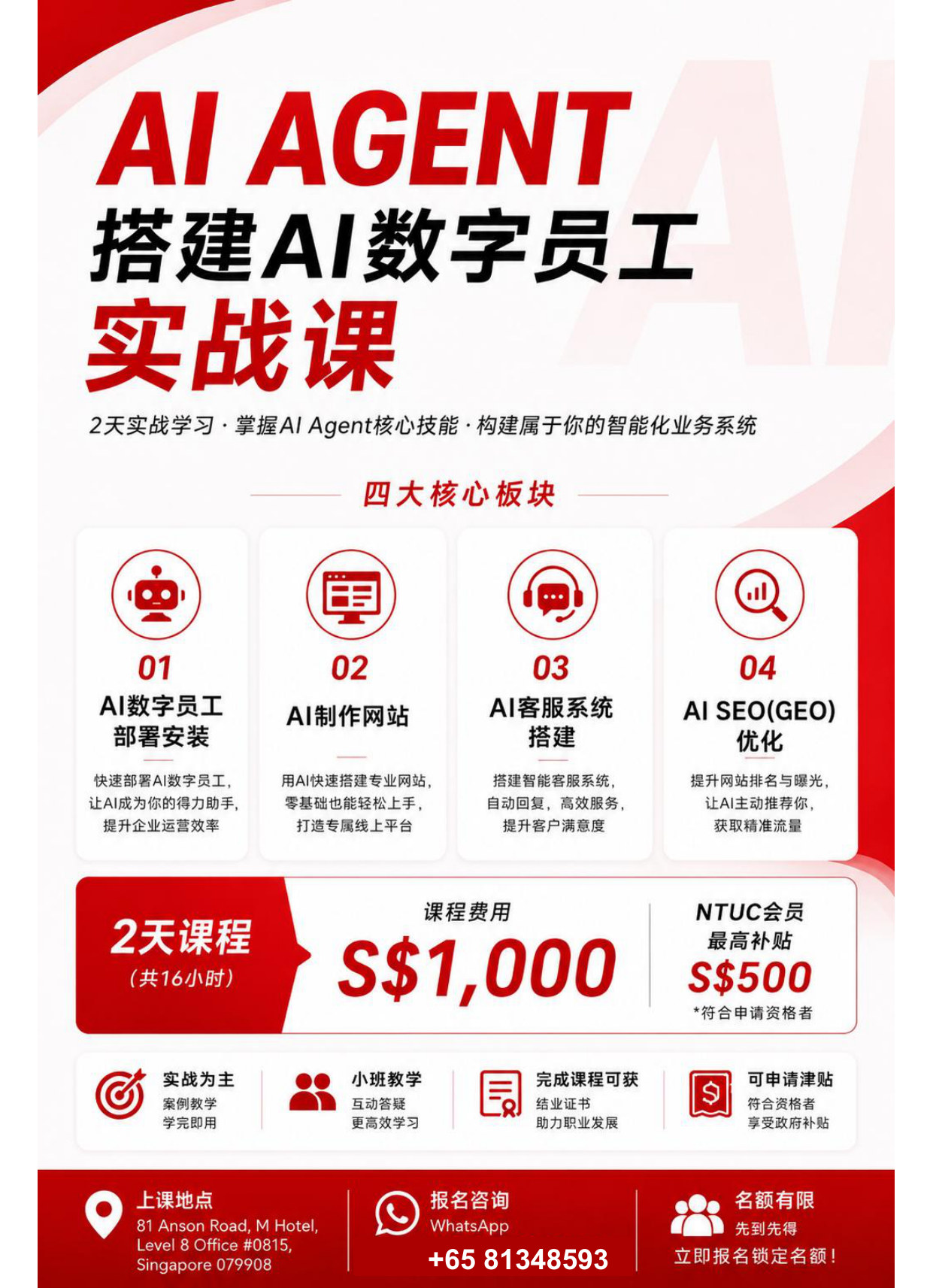 Course poster See the full course outline
From asking to delivery
Hand the repetitive work to an assistant you build yourself.
Why learn AI agents now
AI has moved from chatting to doing. Meetings, reports, service and content are being re-divided.
From asking to doing
Chatbots give answers; agents take a task, use tools and hand back a result.
Repetitive work goes first
Reports, replies, filing: split them into steps, then let AI run them.
The tools are ready
Without coding, you can chain models, files, web pages and WhatsApp into one flow.
Companies need people who ship
People who can define a task and verify the result are scarcer than those who memorise prompts.
What you will learn
Seven themes, from first concepts to a working assistant.
- 01
AI Agent fundamentals
BasicsModels, tools, memory and permissions: what an agent is actually made of.
- 02
Prompt engineering
MethodTurn a vague request into an executable instruction that stays repeatable.
- 03
Building an AI agent
Hands-onFrom role definition to tool calls: build your first assistant that finishes a task.
- 04
Workflow automation
WorkflowChain multi-step tasks so AI runs them in order and delivers the result.
- 05
AI customer service and WhatsApp
ApplicationGreet, answer and capture leads on the channel you already use.
- 06
AI content and marketing
ContentCopy, images and topics: shorten the distance from idea to publish.
- 07
Hands-on project
ProjectBring a real business problem and leave with something that runs.
These are the planned themes; the final timetable, hours and module order are confirmed in the class notice.
What an agent can do
One method, reusable in the next scenario.
Customer service
Answers the repeat questions, hands the hard ones to a person.
Marketing assistant
Topics, copy and first drafts of assets, several versions at once.
Office automation
Meeting notes, spreadsheets and email drafts handled for you.
Teaching assistant
Lesson material, exercises and course outlines take shape fast.
Content creation
From outline to final draft: hand the repetitive writing to AI.
Business workflows
Repetitive steps across systems run on their own.
Who it is for
No coding required — willingness to try is.
Professionals
For those who want the repetitive daily work off their plate.
Business owners
For owners who need service and operations handled with a smaller team.
Educators
For teachers building materials, exercises and classroom support.
AI beginners
For those who have used chat tools but never built an agent.
Course at a glance
Confirmed details are below; anything unconfirmed is marked and not guessed.
- Course
- AI Agent — Build Your AI Digital Employee
- Language
- To be confirmed
- Format
- To be confirmed
- Duration
- To be confirmed
- Fee
- To be confirmed
- Next intake
- To be confirmed
- Venue
- To be confirmed
- Instructor
- To be confirmed
- How to enrol
- Form on this page or WhatsApp
Items marked "to be confirmed" will be announced in the class notice; this page makes no promise on price, schedule or certification.
Frequently asked
Can I join without an AI background?
Yes. The class starts from the basics and works step by step. No coding needed, but you should be willing to practise.
How is an AI agent different from ChatGPT?
ChatGPT is mainly conversation. An agent takes a task, uses tools, follows a workflow and returns a result.
Where can I apply it after the class?
Customer service, marketing, office automation, content and internal workflows. What you can build depends on your scenario and the tools you have.
Is the class online or in person?
To be confirmed. It will be updated on this page and in the class notice.
Do I need programming experience?
No. Being comfortable with a browser and office software is enough; advanced use can continue after class.
How do I enrol or ask a question?
Fill in the form on this page or message us on WhatsApp. We reply within one working day.